# Create Your First Form

### Getting Started:

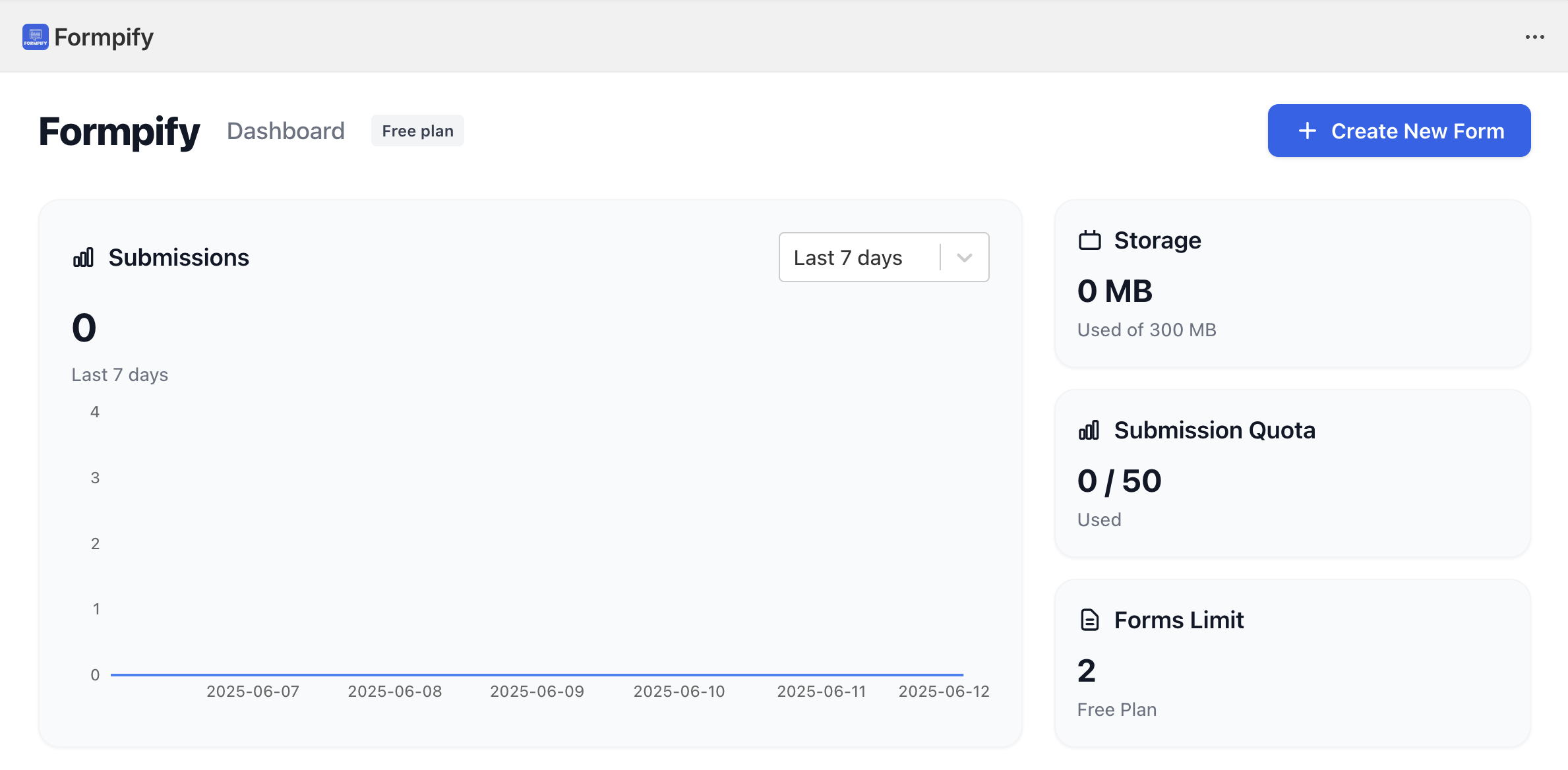
From your Dashboard page:

<figure><img src="https://2715740203-files.gitbook.io/~/files/v0/b/gitbook-x-prod.appspot.com/o/spaces%2FCTLIZPf2rHI3S4Ke8EuZ%2Fuploads%2FJ7Dl1M6VUqF3hc27FPer%2FScreenshot%202025-06-12%20at%2008.18.46.png?alt=media&#x26;token=ed2a4b85-de93-4083-8d2d-a8bc55a45f4e" alt=""><figcaption></figcaption></figure>

Just simply click on the "Create New Form" button

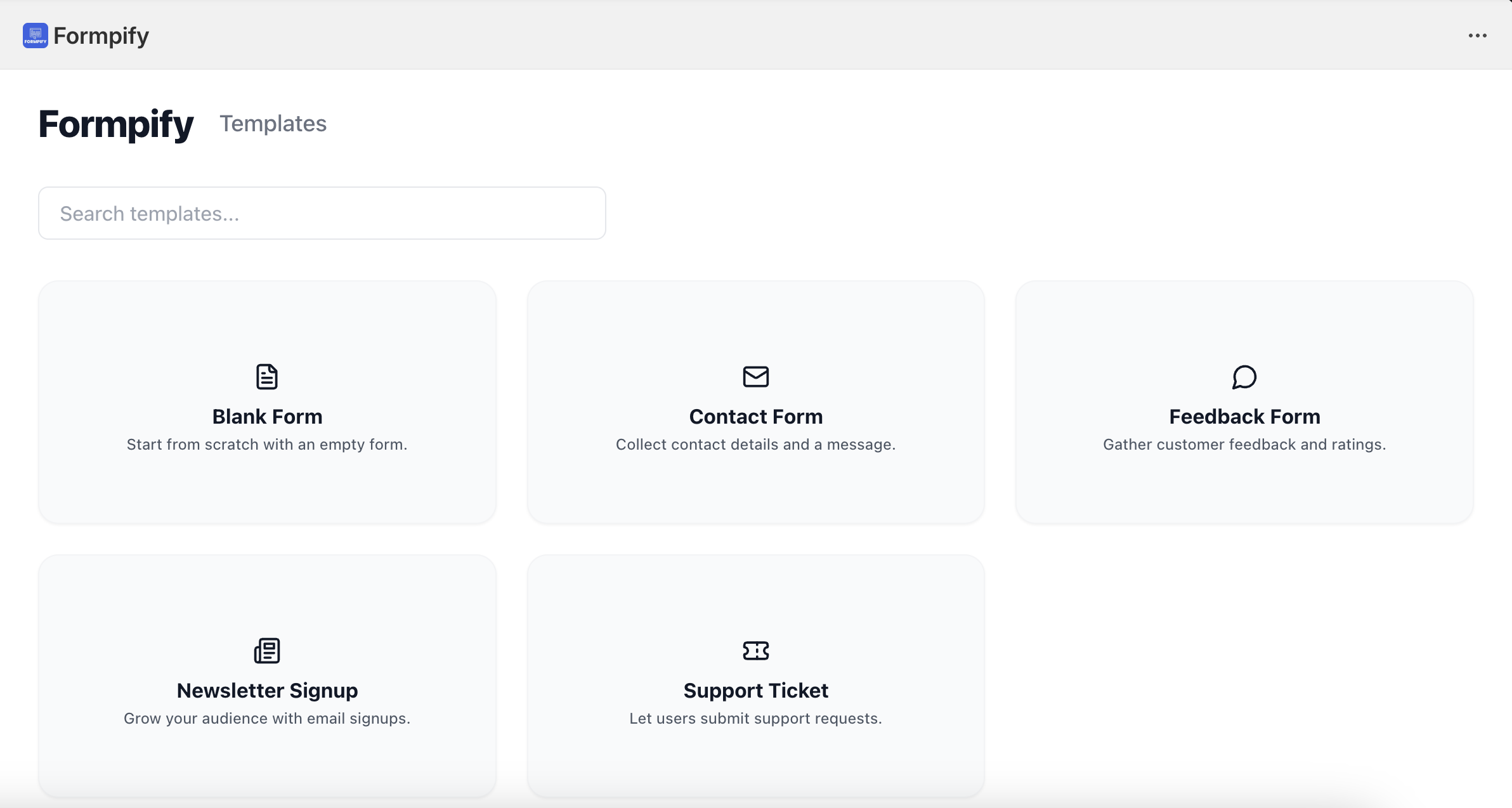
You will be landed to the Templates page to select a template

<figure><img src="https://2715740203-files.gitbook.io/~/files/v0/b/gitbook-x-prod.appspot.com/o/spaces%2FCTLIZPf2rHI3S4Ke8EuZ%2Fuploads%2Fx050z9cAOs8WMXJhHRaw%2FScreenshot%202025-06-12%20at%2008.25.20.png?alt=media&#x26;token=49a4bf2e-ccd8-4aec-a8f8-f72e6816d37f" alt=""><figcaption></figcaption></figure>

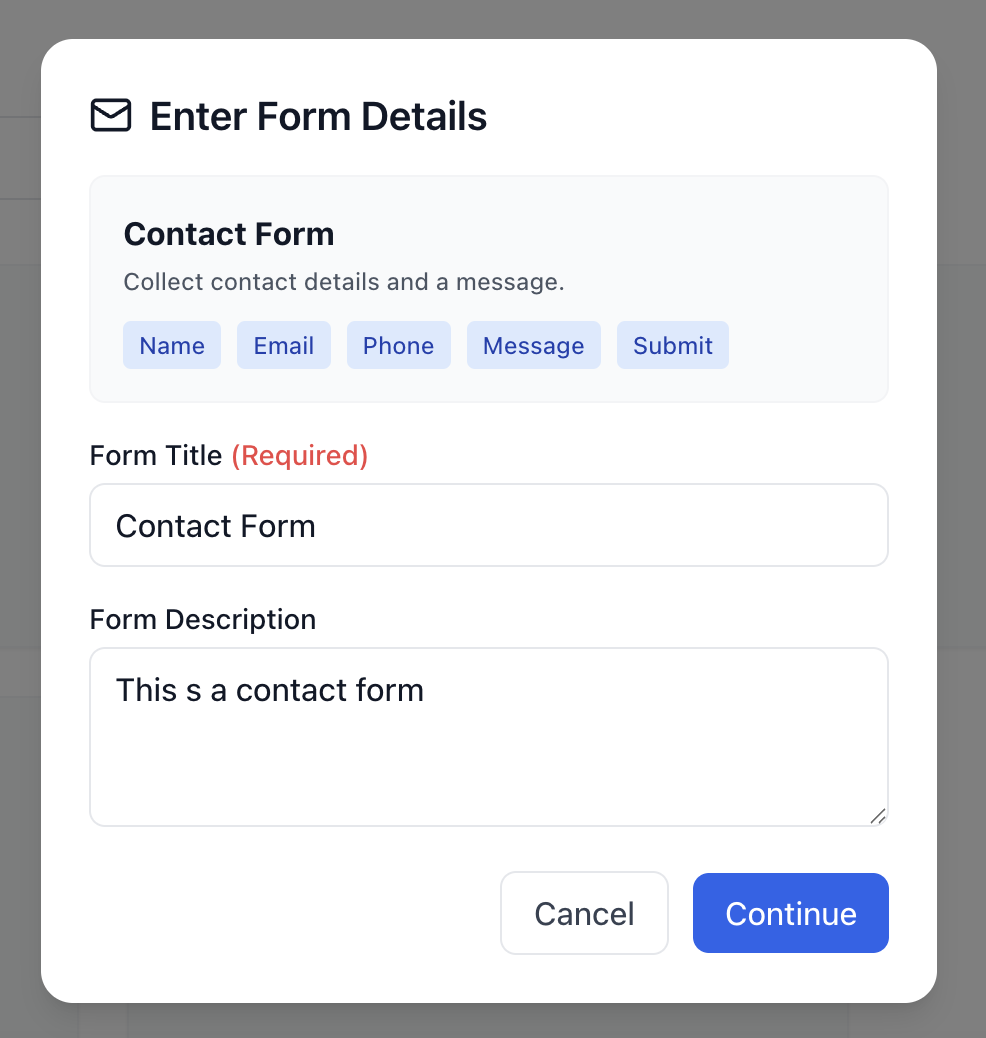
Select any template to start and fill in the "Form Title" and "Form Description" to create the form.

<figure><img src="https://2715740203-files.gitbook.io/~/files/v0/b/gitbook-x-prod.appspot.com/o/spaces%2FCTLIZPf2rHI3S4Ke8EuZ%2Fuploads%2Fm1L27Xlgc961Fgz9vEZb%2FScreenshot%202025-06-12%20at%2008.26.31.png?alt=media&#x26;token=a4bbcf12-8b2d-4354-914a-b28a4abbc89f" alt="" width="375"><figcaption></figcaption></figure>

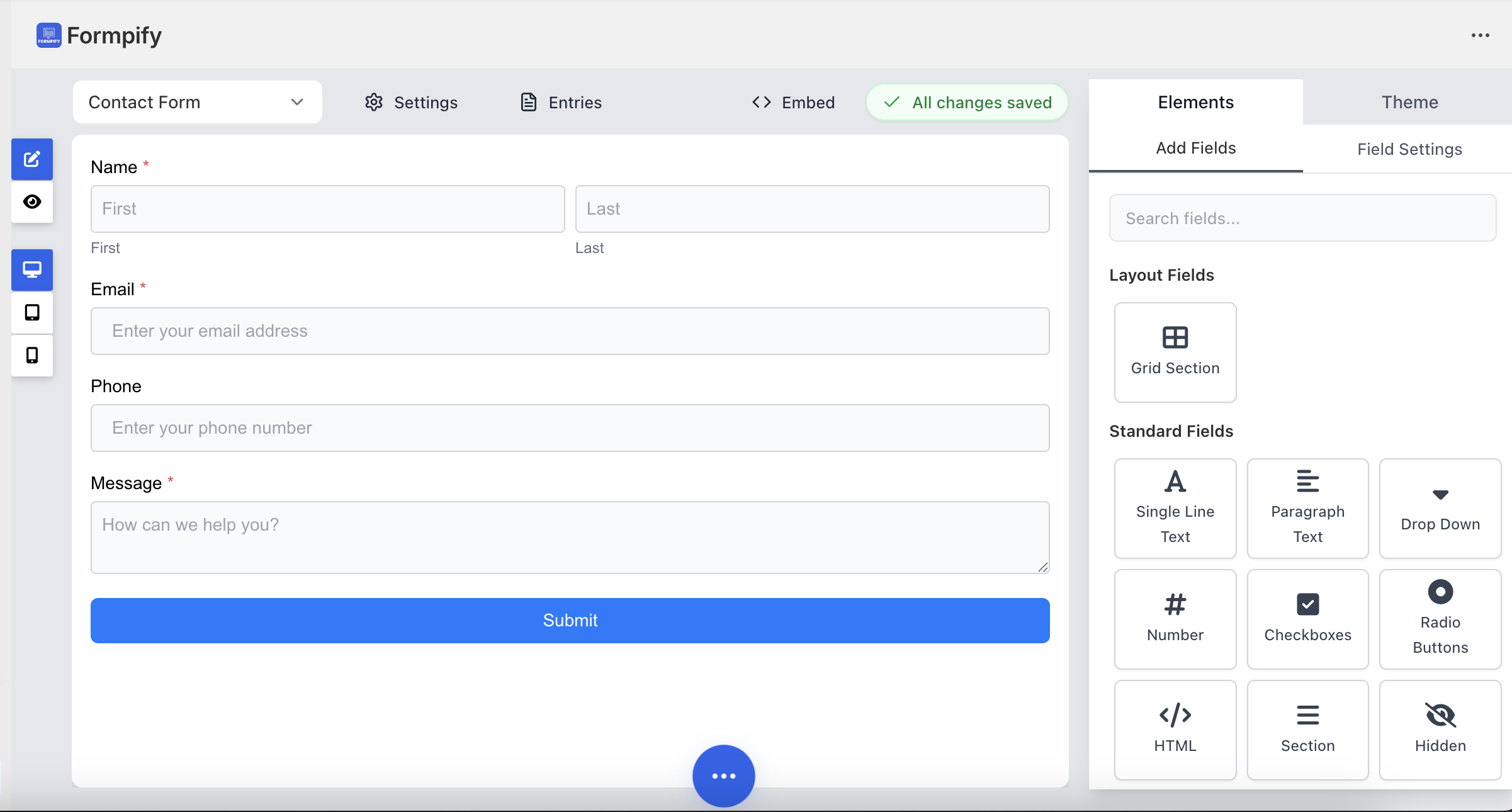
Click "Continue" and you will be landed to the Form Builder Tool page:

<figure><img src="https://2715740203-files.gitbook.io/~/files/v0/b/gitbook-x-prod.appspot.com/o/spaces%2FCTLIZPf2rHI3S4Ke8EuZ%2Fuploads%2FtXiO2JCCMT1RxwjkxcEE%2FScreenshot%202025-06-12%20at%2008.29.14.png?alt=media&#x26;token=a4b3df3e-1092-4772-a567-5f235abc46d5" alt=""><figcaption></figcaption></figure>

### That is it!

Now you can enjoy playing with the form builder tool to build your forms